

Integrations
Connect your help desk, your servers and your shop, so Konrado answers with live customer data.
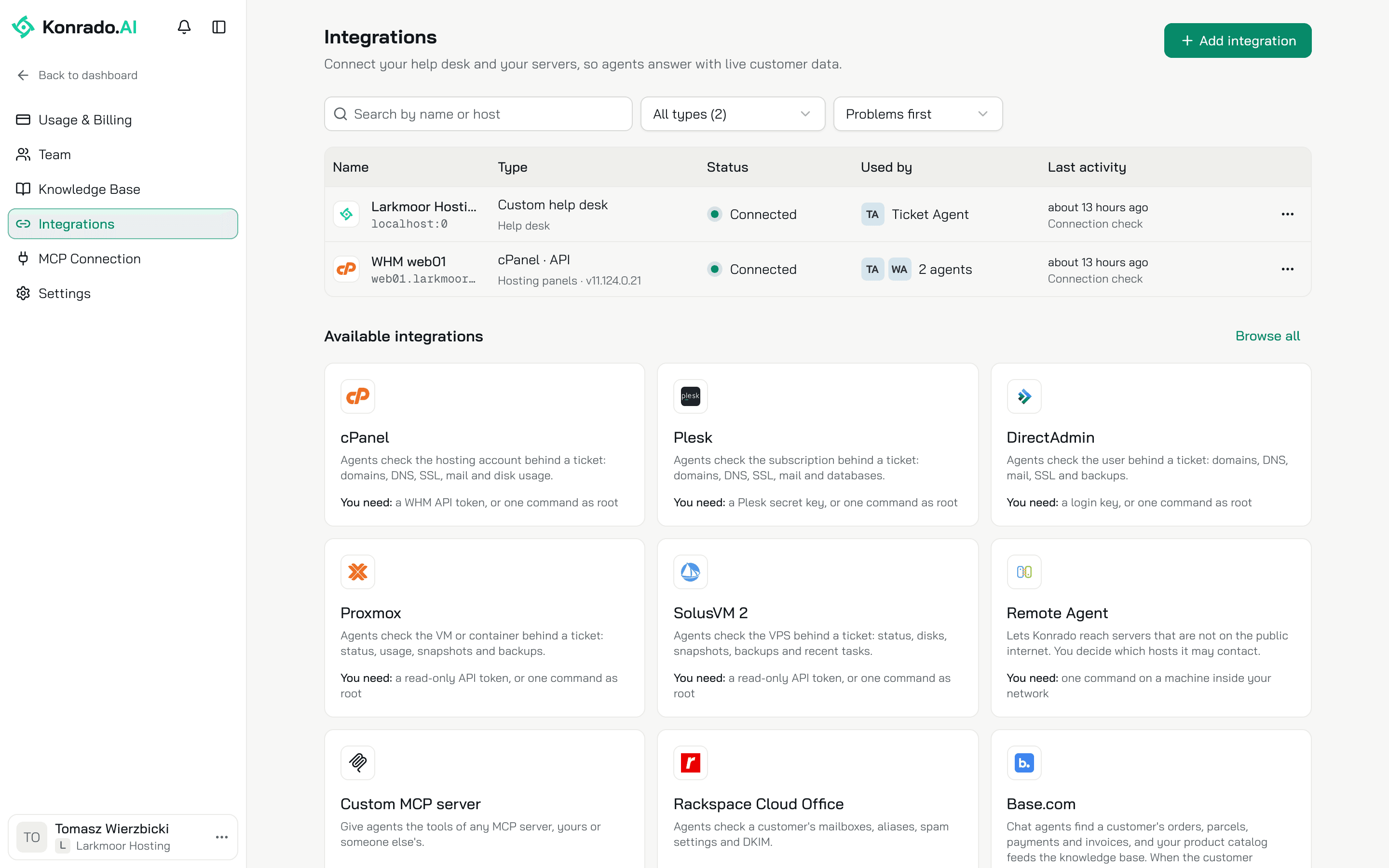
Integrations connect Konrado to the systems your team already uses. With your help desk connected, Konrado reads and answers your tickets. With your panels and servers connected, it checks the account behind a ticket. Every integration starts on one page: Workspace SettingsIntegrations.
Pick your guide
The guides follow the console's groups, in the same order.
Connect WHMCS
Help desk. Tickets, clients, services, invoices, your products and past tickets.
Connect SupportPal
Help desk. Tickets and past tickets. Link WHMCS for services and invoices.
Connect a custom help desk
Help desk. What WHMCS gives, through an API your developer builds.
Connect a server
Hosting panels and virtualization. The cPanel, Plesk or DirectAdmin account, or the Proxmox or SolusVM 2 machine, behind a ticket.
Connect Rackspace Cloud Office
Email hosting. Mailboxes, aliases, spam settings and DKIM.
Connect Base.com
E-commerce. A shopper's orders in the live chat, and your product catalog.
Connect Calendly
Scheduling. Meetings booked in the live chat.
Connect an MCP server
Developer tools. The tools of any MCP server.
Install the Remote Agent
Developer tools. Servers that are not on the public internet.
Two more pages sit outside the console's list:
- Install the WordPress plugin to put the live chat on a WordPress site.
- Allow Konrado's IP addresses when a firewall stands between Konrado and your systems.
Start with your help desk
Konrado needs your help desk to read and answer tickets, so connect it first and add servers after. Your organization has one help desk at a time. The help desk gets its own agent with a Helpdesk channel: set up the Helpdesk channel.
Connect an integration
Pick it
Click Add integration, choose a group, then the integration. Or click its card under Available integrations.
Read the form
The form opens on Configure. Tools lists what the integration gives your agents. About says what it does. Where an integration has a guide here, Installation guide opens it.
Connect
Fill in the form and click Test Connection. When the test passes, click Connect.
Inside an agent, AgentsIntegrations opens the same page. Integrations belong to your whole organization: every agent uses them, and a change there reaches every agent.
Manage a connection
Each connected integration is a row with its Status, the agents that use it and its Last activity. Problems first sorts the ones that are Not working to the top. Click a row to open it, or open its menu (...):
| Action | What it does |
|---|---|
| Manage | Opens the form. Change the name or a key, Test Connection, then Save |
| Reconnect | Shown when the integration is Not working or Disconnected |
| Ticket scope | For a help desk: the departments Konrado reads, and the tags and senders it skips |
| Update plugin | Shown when a newer version of the Konrado plugin or module is out |
| Disconnect | Konrado stops using it. The credentials and the history stay, so you can reconnect later |
| Delete | Removes it completely. Works only for an integration nothing uses yet |
Choose which agents use a tool
The Tools tab of a connected integration lists its tools. A tool marked Reads only looks something up. A tool marked Changes data does something, such as adding a note to an order.
Lookups are open to every agent. A tool that changes data is off until you choose agents, and the customer approves each change first. Click a tool to choose All agents or Chosen agents, and for a tool that changes data, whether to Ask the customer to approve. A server's tools have no picker: every agent that answers tickets uses them.
Related
Last updated on