

Server integrations
Connect your hosting panels, virtualization, email hosting and MCP servers, so Konrado answers with live data.
A server integration lets Konrado look at the customer's hosting account, VPS or mailbox while it works on a ticket. It also helps in the live chat, when a signed-in customer asks about their own service: set up identity verification for that. Konrado only reads. Nothing on your servers changes.
API or Konrado plugin
Each hosting panel and virtualization platform connects in one of two ways. The API is the current way, and the console picks it first. The Konrado plugin is the legacy way: it keeps working where it is installed, and a new server should use the API.
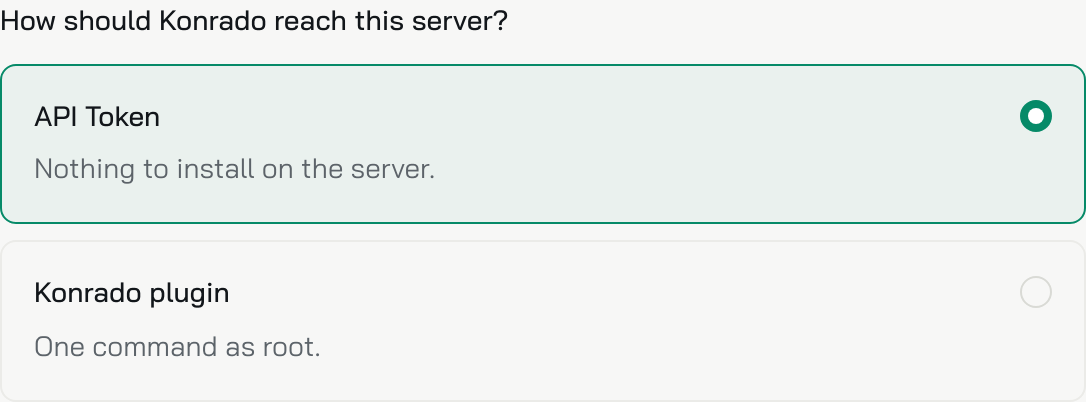
| API (current) | Konrado plugin (legacy) | |
|---|---|---|
| What you need | A token or key you create in the panel | Root SSH access to the server |
| What gets installed | Nothing | The plugin, as two services |
| What Konrado reads | What the panel's own API shows: accounts, websites, mail, databases, backups | The same, read on the server. On cPanel and DirectAdmin it adds the firewall (CSF), CloudLinux and Imunify, where they run |
| Updates | None needed | Update from the console, or with one command |
| Konrado connects to | The panel's HTTPS port | The plugin, on port 8000 |
Use one way per server. Each platform page has both, in tabs.
Platforms
Hosting panels
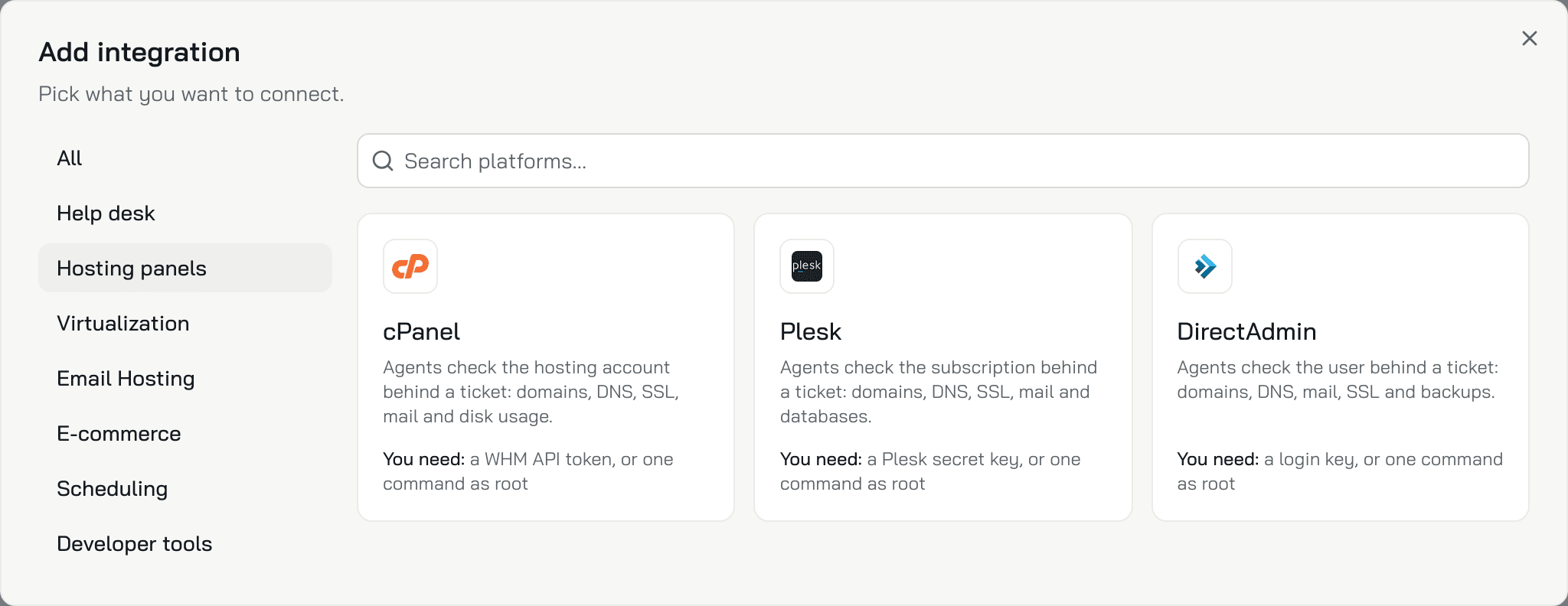
 cPanelThe hosting account behind a ticket: domains, DNS, SSL, mail and disk use.You need: a WHM API token, or one command as rootAPIKonrado plugin (legacy)
 PleskThe subscription behind a ticket: domains, DNS, SSL, mail and databases.You need: a Plesk secret key, or one command as rootAPIKonrado plugin (legacy)
 DirectAdminThe user behind a ticket: domains, DNS, mail, SSL and backups.You need: a login key, or one command as rootAPIKonrado plugin (legacy)
Virtualization
 ProxmoxThe VM or container behind a ticket: status, usage, snapshots and backups.You need: a read-only API token, or one command as rootAPIKonrado plugin (legacy)
 SolusVM 2The VPS behind a ticket: status, disks, snapshots, backups and recent tasks.You need: a read-only API token, or one command as rootAPIKonrado plugin (legacy)
Email hosting

Developer tools
 Custom MCP serverThe read-only tools of any MCP server, yours or someone else's.You need: the server address and its sign-in headerURL and headers
 Remote AgentA relay inside your network that forwards MCP requests to the hosts you allow.You need: one command on a machine inside your networkOne command
How Konrado finds the right account
Konrado starts from the customer's service in your billing system. It finds the server that service sits on, by hostname or IP address, and reads only that account, domain or VM. So connect your help desk and billing first: Connect WHMCS. Then add your servers.
Every lookup only reads. Konrado tests each connection once an hour, and the Status column on the Integrations page shows the result: Connected, Not working or Disconnected.
Connect a server
Open Workspace SettingsIntegrations and click Add integration. Pick a group on the left, then a card. The card's sheet has the form, or the install command for the plugin.
If a server sits behind a firewall, allow Konrado's IP addresses to reach it.
If a server does not connect
When the plugin's install step keeps reading Listening for your server…, check that the
installer finished without errors and that the server reaches app.konrado.ai over HTTPS. Running
the command again is safe. Each platform page has its own fix table, for the API and the plugin.
The install step shows Connection error. It names the server address and the reason. Check both plugin services, read their recent logs and restart them:
systemctl status   konrado-server.service konrado-root.service
journalctl         -u konrado-server.service -u konrado-root.service --since "15 minutes ago" --no-pager
systemctl restart  konrado-server.service konrado-root.service
systemctl enable   konrado-server.service konrado-root.service
ss -ltnp | grep ':8000'
The last line shows whether the plugin listens on port 8000. Konrado must reach that port: allow Konrado's IP addresses in your firewall. Then run the install command again.
Manage the plugin
Last updated on