

Custom MCP server
Give Konrado the read-only tools of any MCP server, yours or someone else's.

A custom MCP server gives Konrado tools no built-in integration has: your provisioning system, an inventory database, an internal API. MCP (Model Context Protocol) is the standard way for Konrado to call tools on another server. If your system has a plain API, put a small MCP server in front of it and connect that.
What Konrado reads
Whatever your server's read-only tools return. On a ticket, Konrado loads them the first time it
looks up a service or domain. In the live chat, Konrado can call them on every visitor's question.
A tool counts as read-only only when your server marks it readOnlyHint: true. Konrado leaves
every other tool out.
What Konrado cannot do
| Not possible | Why |
|---|---|
Use a tool that is not marked readOnlyHint: true | Konrado takes only the tools your server marks read-only |
| Check that a tool marked read-only really is | Konrado trusts your server's own marking |
| Reach a server on a private network directly | Konrado connects over the internet. Route it through the Remote Agent |
| Guess data your tools do not return | Konrado answers only from what the tools give back |
| Replace your server's own sign-in and logging | Your server still needs proper tokens, permissions and logs |
Konrado sends your sign-in headers with every request. Give it a token for the least it needs, and mark only real lookups as read-only. After you save the connection, the console no longer shows the header values.
- "Check the provisioning state in our internal platform."
- "Does this customer have the custom add-on turned on?"
- "What does our inventory system say about this service?"
- "Get the latest status from our private API."
Before you start
- The full URL of your MCP server's endpoint, such as
https://mcp.example.com/mcp, reachable from the internet. A server on a private network goes through the Remote Agent. - The sign-in your server needs: a bearer token, your own headers, or none.
Connect
Open the custom server form
Open Workspace SettingsIntegrations, click Add integration and choose Custom MCP server.
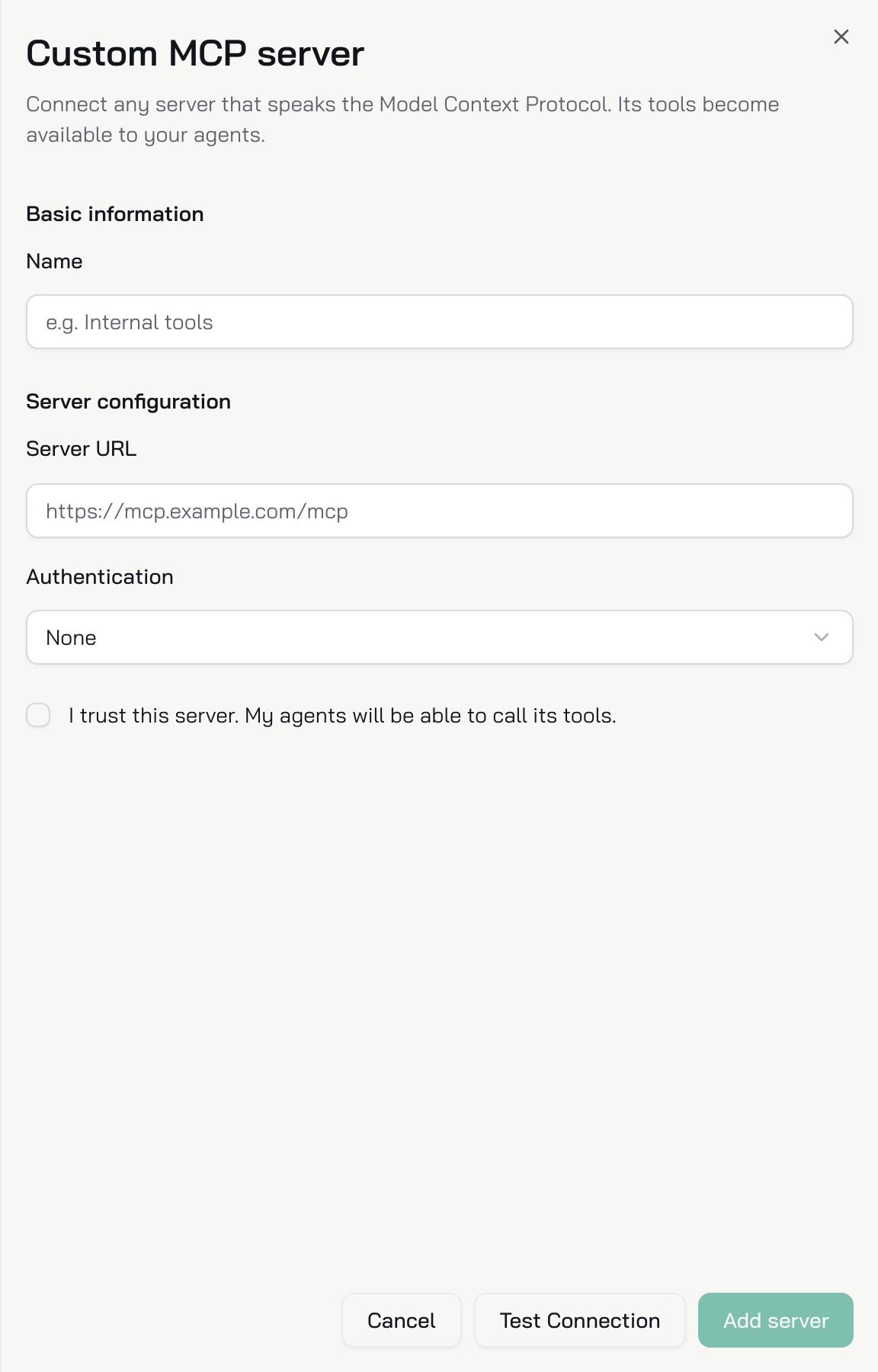
Describe the server
| Field | What to enter |
|---|---|
| Name | A name for your team, such as Internal tools |
| Server URL | The full endpoint, such as https://mcp.example.com/mcp |
| Authentication | None, Bearer token or Custom headers |
| Bearer token | With Bearer token: the token. Konrado sends it as Authorization: Bearer <token> |
| Request headers | With Custom headers: each header name and value your server needs |
You do not choose a transport. Konrado works out how to talk to the server, and also speaks the older SSE transport.
Test and add
Click Test Connection. Tick I trust this server. My agents will be able to call its tools. and click Add server.
Check it works
The server is on the Integrations page as Connected, with the type Custom MCP server. Konrado tests the connection again every hour. Its Tools tab says the tools are read from the server once it connects.
To change the address or the headers later, open the row. Saved header values stay hidden: leave a value empty to keep it.
If something is wrong
Open the row on the Integrations page. A server that stopped working says Not working, what to check, and the exact error under Technical details.
| What you see | What to do |
|---|---|
| Test Connection fails | Check that the URL points at the MCP endpoint and that the server is reachable from the internet |
| Sign-in fails | Check the token or headers your server expects. A bearer token goes in Authorization as Bearer <token> |
| Konrado never uses a tool | Mark the tool readOnlyHint: true on your server. Konrado also loads the tools only once it looks up a service or domain on the ticket |
| The server is on a private network | Route it through the Remote Agent |
Remove the integration
Open Workspace SettingsIntegrations, open the row menu (three dots) and choose Delete. Then revoke the token on your server.
To stop for now and keep the settings, choose Disconnect instead.
Last updated on