

Live chat
The chat on your website, what visitors see, the Status page, and where conversations and leads land.
Live chat is Konrado on your website. A visitor clicks the chat button, asks a question, and Konrado answers from the Knowledge Base, day and night. When someone wants a person, it collects their details or hands them to your team.
In the sidebar an agent's chat sits under CHANNELS as Live chat, with an ON or OFF mark, and has seven pages: Status, Install, Branding & Style, Cards, AI instructions, Triggers and Chat Actions. This page covers Status. The others have a page each.
What the visitor sees
- A round chat button in the bottom corner of every page that carries the snippet, bottom right unless you move it. On a screen up to 480 px wide the chat opens full screen.
- By default the welcome message from Branding & Style opens above the button on its own after 3 seconds. A trigger can replace it on chosen pages. Inside the chat, up to 6 suggested questions wait before the first message.
- Replies in the language of the visitor's latest message. When a message shows no language, such as a number, a link or "ok", Konrado keeps the language of the conversation so far. The chat's own buttons and labels follow the browser language when it is on the chat's Language list. A new chat lists English alone.
- When the chat is paused, its agent is switched off, or the page's domain is not allowed, nothing shows at all.
Status
Open AgentsLive chatStatus.
The switch
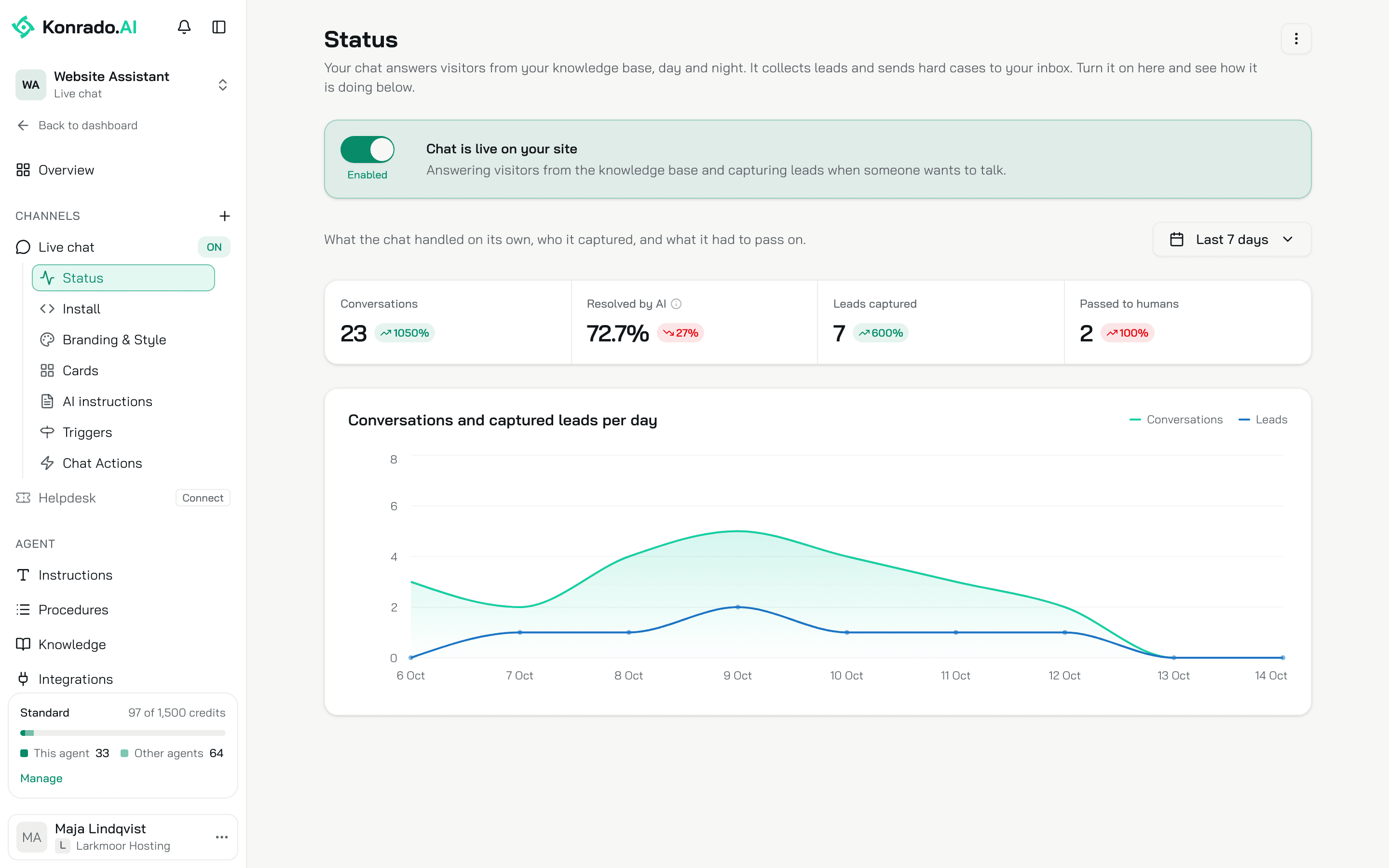
The switch at the top turns the chat on and off. On, it reads Enabled and the banner reads Chat is live on your site. Off, it reads Disabled, the banner reads Chat is paused, and the chat is hidden on your site. The switch saves at once. The same switch sits on the agent's Overview, on the row Put it on your website as live chat, once Konrado has seen the snippet on your site.
A new chat starts paused. Install it, open it through the preview link, then switch it on.
The numbers
Four numbers for the period in the date picker, Last 7 days unless you change it, each with the change against the period before.
| Number | What it counts |
|---|---|
| Conversations | Chats visitors started on this channel |
| Resolved by AI | The share of analysed chats Konrado solved on its own. Konrado analyses a chat once it goes quiet |
| Leads captured | Visitors who left their details in the lead form |
| Passed to humans | Tickets Konrado opened for your team |
Test chats in the console never count. The numbers can be up to 15 minutes old.
The chart
Conversations and captured leads per day, one point per day of the period. A quiet day shows 0.
Remove the chat
The menu top right (three dots) has Remove channel. The chat stops answering and its snippet goes dead.
Where conversations and leads land
- Inbox: one row per channel, so the chat's conversations sit under the agent's name. Needs a human lists the chats where the visitor asked for a person, Konrado could not help, or the account needs your team's action. A chat leaves it once your team marks it handled.
- Leads: everyone who left their details in the chat, graded hot, warm or cold.
- Your help desk: the tickets visitors send through the chat's ticket form, when Escalations hands off to Ticket form.
The agent behind the chat
The chat answers with the agent's instructions and guardrails. AgentsLive chatAI instructions is where the chat follows the agent (Shared with all channels) or gets text of its own (Only for this channel), and where you add guardrails that hold only on the chat. The chat has no Communication style: it talks like a person.
Credits
A chat reply costs 1 credit. See plans and credits.
What Konrado cannot do
| Not possible | What to do instead |
|---|---|
| Remove a chat that has talked to visitors | Switch it off on Status. The history stays |
Related
Last updated on