

Plans and credits
What a credit buys, what each plan includes, and where to see what you used.
A credit is one unit of Konrado's work. A chat reply costs 1 credit. A ticket reply costs 2. Every plan has every feature and unlimited members. Credits are the only thing that scales.
What a credit buys
| Reply | Credits |
|---|---|
| A live chat reply | 1 |
| A ticket reply, as a Copilot draft or sent by Auto replies | 2 |
A ticket reply counts when Konrado writes it, not when your team sends it. Copilot drafts and auto replies both count.
Plans
| Plan | Credits a month | About | How you get it |
|---|---|---|---|
| Free | 50 | 25 ticket replies or 50 chat replies | After the trial, or when a paid plan ends. No card. |
| Starter | 300 | 150 ticket replies or 300 chat replies | Choose plan under Usage & Billing |
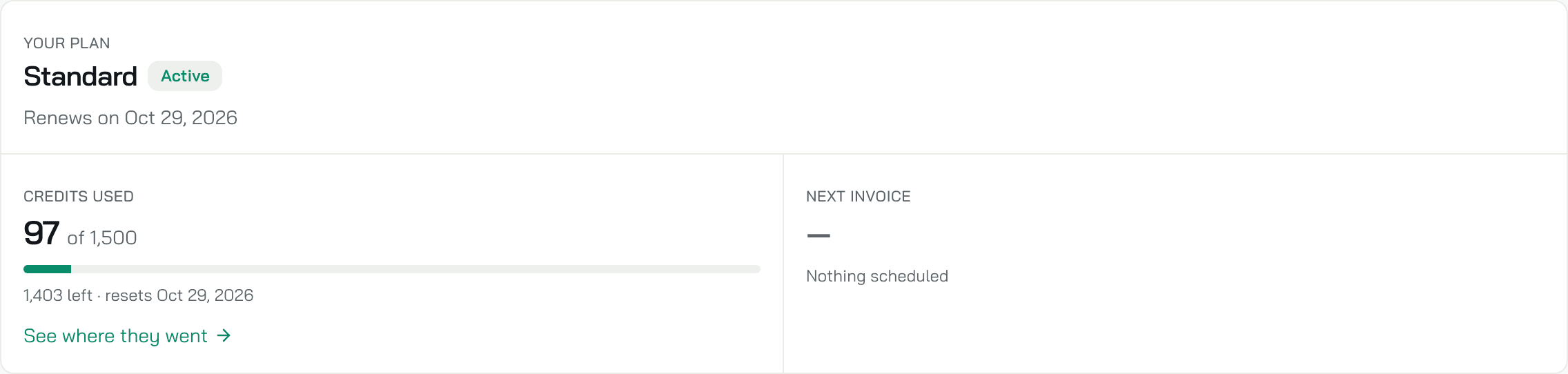
| Standard | 1,500 | 750 ticket replies or 1,500 chat replies | Choose plan. The plan the console marks Popular. |
| Pro | 5,000 | 2,500 ticket replies or 5,000 chat replies | Choose plan |
| Enterprise | Agreed with you | Depends on the volume you agree | Talk to us under Usage & Billing |
Every new organization starts with a 14-day trial: 500 credits, about 250 ticket replies or 500 chat replies, no card. Then it is on Free. Buying a plan ends the trial at once. See how the trial works.
Prices are in the console, on Workspace SettingsUsage & Billing, monthly or yearly. An organization evaluating Konrado with our team may be on Pilot: no cap, assigned by the Konrado team.
See your usage
Workspace SettingsUsage & Billing shows your plan, the credits used this period, where they went, and your invoices. Only owners and admins see Workspace Settings. See what each tab shows.
When credits run low
At 80% of your credits, a bar above every page of the console warns owners and admins, and they get an email. At 100%, Konrado stops writing chat replies and ticket drafts until your credits reset, and the bar and an email say so. To get more credits, click Upgrade plan on the Home card, or Choose plan under Usage & Billing. See every warning.
The Free plan and an assigned plan reset their credits on the date shown. A subscription renews on its date. Unused credits do not carry over.
Where else to see usage
- Home: the plan card on the right shows the plan, the credits used, usage by agent and Manage.
- Inside an agent: the card at the foot of the menu shows this agent's credits against the other agents'.
Related
Last updated on