

Open the chat from your site
Open the chat from your own link or button, hide the chat button, follow when the chat opens and closes, and wait for cookie consent.
The chat does not have to start from the button in the corner. Your menu, your support page or your own button can open it. This page shows how, from a link with no code to a few lines of script. The examples use the snippet from Install the chat.
The simplest way: a link
Give a link the address #konrado-chat. A click on it opens the chat. No code.
In your site's menu editor (WordPress, Webflow, Wix or any other), add a custom link and set its
URL to #konrado-chat. In HTML it looks like this:
<a href="#konrado-chat">Chat with us</a>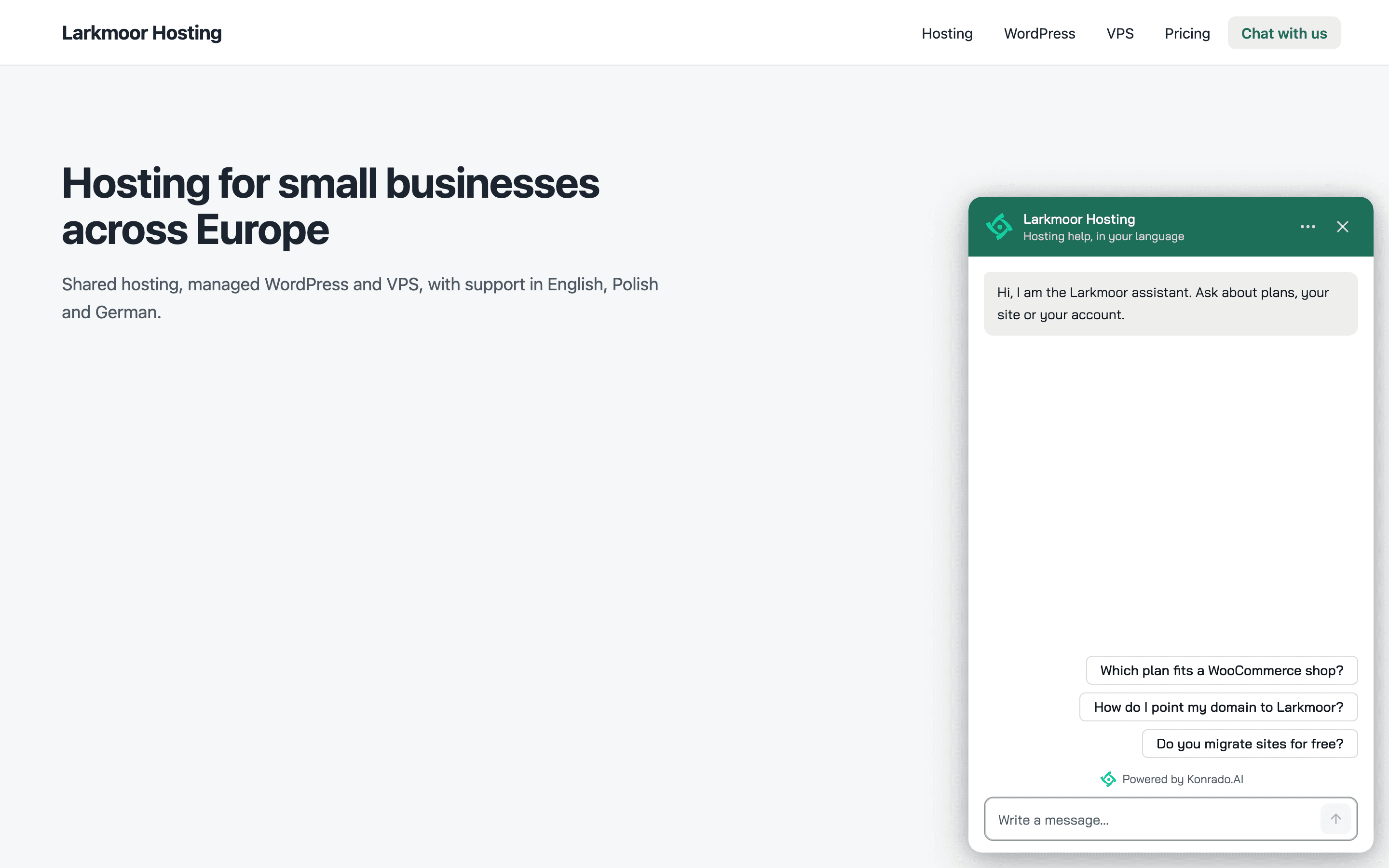
A link from another page, an email or a help article works too.
https://your-site.com/support#konrado-chat opens your support page with the chat open. The
chat then removes #konrado-chat from the address, so a reload does not open it again.
On a single-page site (built with Next.js, Nuxt or Turbo, for example), a link to another page
with #konrado-chat changes the page without a reload, and the chat does not open. Use a link
on the same page, or the script below.
A <button> has no URL. For a button, use the script below.
From your own script
The chat's script gives your page window.KonradoChat. Call it from a click on your own button
or link. Add the script after the button, for example just before </body>:
<a href="/contact" id="support-link">AI Support Assistant</a>

<script>
  document.getElementById('support-link').addEventListener('click', function (event) {
    if (!window.KonradoChat) return; // The chat has not loaded: the link opens /contact.
    event.preventDefault();
    window.KonradoChat.open();
  });
</script>
window.KonradoChat appears when the chat's script has loaded, a moment after your page. Until
then the check above lets the link work as a normal link. After that the link opens the chat. If
the chat is paused, or your domain is not in Allowed domains, the chat does not load, and a
click on the link does nothing.
There are five calls:
| Call | What it does |
|---|---|
KonradoChat.open() | Opens the chat |
KonradoChat.open({ message: 'I have a question about my invoice' }) | Opens the chat with this text in the message box. The visitor reads it and presses send |
KonradoChat.send('I have a question about my invoice') | Opens the chat and sends this text as the visitor's message. Konrado answers at once |
KonradoChat.close() | Closes the chat |
KonradoChat.toggle() | Opens the chat when it is closed, closes it when it is open |
A message can be up to 1,000 characters. Longer text is cut. An empty message is not sent, and the browser console shows a warning.
A call made before the chat is ready runs once it is. If you make several calls in that moment, only the last one runs.
Two habits keep this smooth:
- Close your own menu in the same click handler. The chat opens above everything on your page, your menu included.
- Call
sendonly from a visitor's click, never when the page loads. Eachsendis a real message from the visitor. It shows in your Inbox, and Konrado's reply costs 1 credit.
Hide the chat button
When your own link or button is the way in, you can hide our chat button. Add
data-konrado-chat-launcher="hidden" to the chat's script tag:
<script async src="https://app.konrado.ai/website-chat/v1/loader.js"
        data-konrado-chat-id="wgt_9808d383733f4e62925c14e2e876eb3a"
        data-konrado-chat-launcher="hidden"></script>
With the button hidden:
- No chat button shows in the corner.
- No welcome bubble and no trigger message shows, since there is no button to show them over.
- Your own link or button is the only way to open the chat.
- While the chat is closed, it takes no space on your page and catches no clicks.
The chat opens in its usual corner and closes back to nothing. The setting lives on the script tag, not in the console, so two sites can share one chat: one with the button, one without.
Know when it opens and closes
The chat tells your page when something changes. It sends three events on window:
| Event | When it fires |
|---|---|
konrado-chat:ready | The chat has loaded and takes calls. Once each time the chat loads. It does not mean the chat is visible |
konrado-chat:open | The chat window shows. Every way in counts: the chat button, your calls, the #konrado-chat link |
konrado-chat:close | The visitor closed the chat, or your page called close() or toggle(). It fires at the click, before the closing animation ends |
Each event fires once per change. A chat that never opened sends no close.
event.detail.chatId is the chat ID from the script tag, so a page with two chats can tell
their events apart.
This example marks your link as open or closed, so your CSS can style it with
#support-link[data-state='open']:
<script>
  window.addEventListener('konrado-chat:open', function () {
    document.getElementById('support-link').dataset.state = 'open';
  });
  window.addEventListener('konrado-chat:close', function () {
    document.getElementById('support-link').dataset.state = 'closed';
  });
</script>
konrado-chat:ready fires once, when the chat loads. A listener added after that does not hear
it. Put your listeners in a plain <script> above the chat's script tag. Your
button does not need to wait for ready: a call made before the chat is ready runs once it is.
Keyboard focus
The chat moves keyboard focus for you. Nothing to set up.
- When your page opens the chat (one of the calls above, the
#konrado-chatlink, or an address ending in#konrado-chat), focus moves into the chat once it shows. On a computer the cursor is in the message box, so the visitor can type at once. Afteropen({ message })the cursor sits after your text. On a phone or a tablet the chat window gets focus instead, so the on-screen keyboard does not cover your page. - When the chat closes, focus goes back to the link or button that opened it, if it is still on the page. If the visitor has moved to another field on your page in the meantime, focus stays in that field.
Safari does not give a button or a link focus when it is clicked with a mouse, and Firefox on a Mac does not give a button focus. After such a click there is nothing to go back to, and focus stays on the page when the chat closes. With the keyboard (Tab to the button, then Enter) it works in both. These browsers treat every button and link on every site this way.
Wait for cookie consent
If your visitors must agree to cookies first, add data-konrado-chat-consent="wait" to the
chat's script tag:
<script async src="https://app.konrado.ai/website-chat/v1/loader.js"
        data-konrado-chat-id="wgt_9808d383733f4e62925c14e2e876eb3a"
        data-konrado-chat-consent="wait"></script>
The browser downloads the chat's script, and nothing else happens. Nothing is stored on the visitor's device, nothing is sent to Konrado, and no chat button shows. The chat starts when:
- your cookie tool calls
KonradoChat.init()after the visitor agrees, or - the visitor asks for the chat: your link or button (
open,sendortoggle), the#konrado-chatlink, or an address ending in#konrado-chat.
close() never starts the chat. A second init() does nothing. Consent counts for the whole
page: a chat that appears on the page later starts at once.
A cookie tool often reports a returning visitor's saved consent while the page is still loading,
before the chat's script has run. At that moment window.KonradoChat does not exist yet. Call
this function from your cookie tool's "consent given" callback. It works at any moment:
<script>
  function konradoChatConsentGiven() {
    if (window.KonradoChat) {
      window.KonradoChat.init();
      return;
    }
    // The chat's script has not run yet: let it start as soon as it loads.
    var tag = document.querySelector('script[data-konrado-chat-consent]');
    if (tag) {
      tag.removeAttribute('data-konrado-chat-consent');
    } else {
      // The chat's tag is further down the page: try again once the page is read.
      document.addEventListener('DOMContentLoaded', konradoChatConsentGiven);
    }
  }
</script>
Once the chat starts, it stores these on your site, for the visitor's browser:
| Name | Where | How long | Why |
|---|---|---|---|
kc_visitor | Local storage and a cookie | The cookie, 1 year | A random ID, so the visitor finds their earlier chats on the next visit |
kc_first_seen | Local storage | Until the visitor clears it | When the visitor first came, so a trigger can tell a returning visitor |
kc_journey | Session storage | This tab | The last 10 pages the visitor opened, so Konrado knows where they came from |
kc_pv | Session storage | This tab | How many pages the visitor opened, for triggers |
kc_trig | Local storage | Until the visitor clears it | Which triggers already showed, so Once per visitor holds |
The chat window itself keeps the open conversation for the tab in session storage on
app.konrado.ai, and which triggers already showed in local storage there.
Good to know
window.KonradoChatbelongs to the chat. Do not use that name for anything else on your page.- After we change the chat, a visitor's browser can keep the previous version for up to about an hour.
- With two chats on one page,
KonradoChatcontrols the one that loaded first. - The chat's own options live in the console, not on the script tag: the welcome bubble and its delay, the chat button's text and icon, the colours. Change them in Branding & Style. Match the chat to your site's design with Advanced styling: the button shape and border, the colours, the corners, the font and the text size.
Stability
Everything on this page is version 1: the script address /website-chat/v1/,
window.KonradoChat and its calls, the data-konrado-chat-* attributes, the #konrado-chat
link and the konrado-chat:* events.
We add to version 1. We do not change or remove what is on this page. A change that would break your site comes as version 2, at a new address, and we tell you before it ships. Your version 1 snippet keeps working.
Last updated on