

Add the SupportPal macro
Add the SupportPal hook macro that tells Konrado when a ticket changes.
The macro tells Konrado when a SupportPal ticket opens or gets a reply. It sends the ticket's ID, and Konrado reads the rest through the API connection. Without the macro, no ticket reaches Konrado. It takes about 10 minutes.
Before you start
- SupportPal connected in Konrado: connect SupportPal.
- The Webhook URL and the Webhook token from the Keys for SupportPal box in the connect form. Lost the token? Open the SupportPal row in Konrado, click Manage, then New token.
- SupportPal admin access, with permission to create macros.
The webhook token tells Konrado that an event comes from your SupportPal. Paste it only into the macro's header. If it leaks, click New token under Manage and paste the new one into the macro. The old token stops working at once.
The macro's values
| Setting | Value |
|---|---|
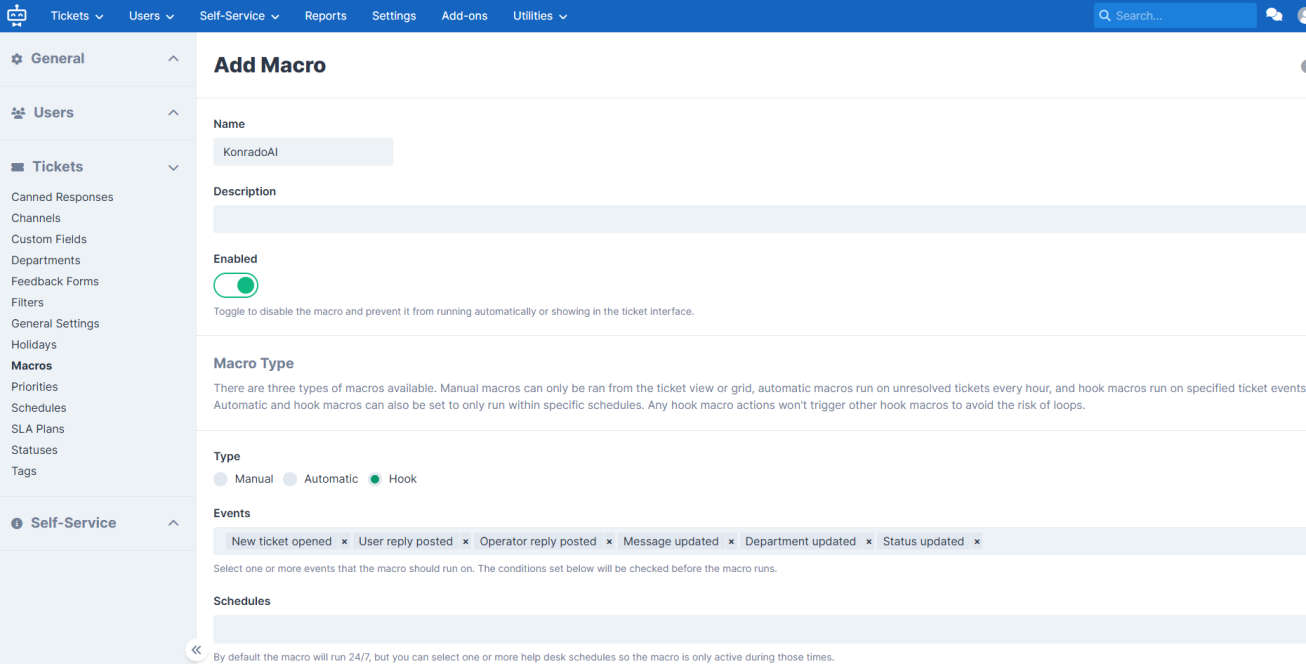
| Name | KonradoAI |
| Macro type | Hook |
| Enabled | Yes |
| Events | New ticket opened, User reply posted, Operator reply posted |
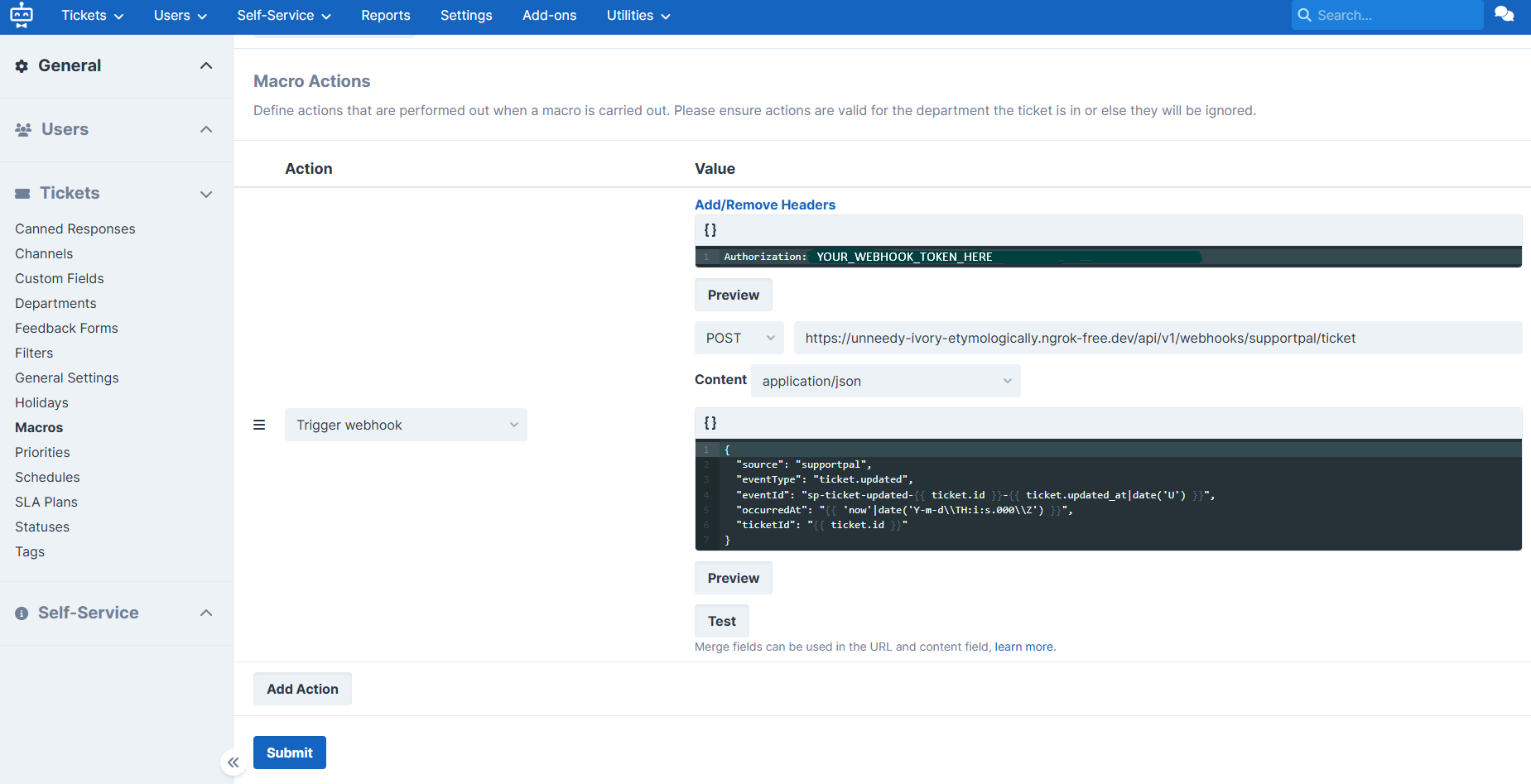
| Action | Trigger webhook |
| HTTP method | POST |
| Content type | application/json |
| Header | Authorization, with the webhook token as its value |
| Webhook URL | https://app.konrado.ai/api/webhooks/supportpal/ticket, as the connect form shows it |
The body:
{
  "source": "supportpal",
  "eventType": "ticket.activity",
  "eventId": "sp-ticket-activity-{{ ticket.id }}-{{ ticket.updated_at|date('U') }}",
  "occurredAt": "{{ 'now'|date('Y-m-d\\TH:i:s.000\\Z') }}",
  "ticketId": "{{ ticket.id }}"
}
More events, such as a status or department change, also work. Each one sends another event to Konrado.
Create the macro
Open the hook macros
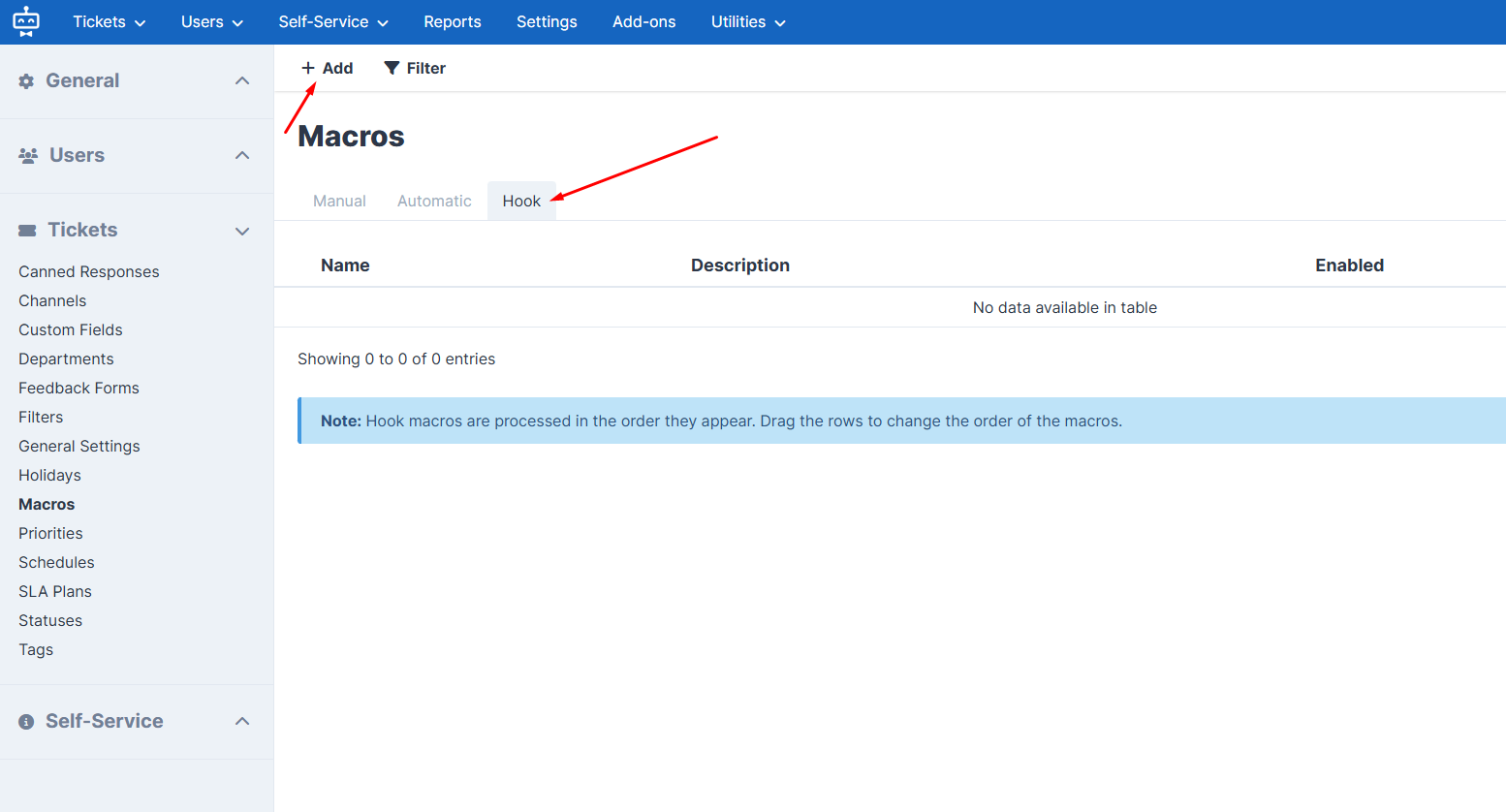
In SupportPal, open Settings › Tickets › Macros, click Add and switch to the Hook tab.
Fill in the macro
Enter the name, turn on Enabled, choose Hook as the type and select the three events.
Add the webhook action
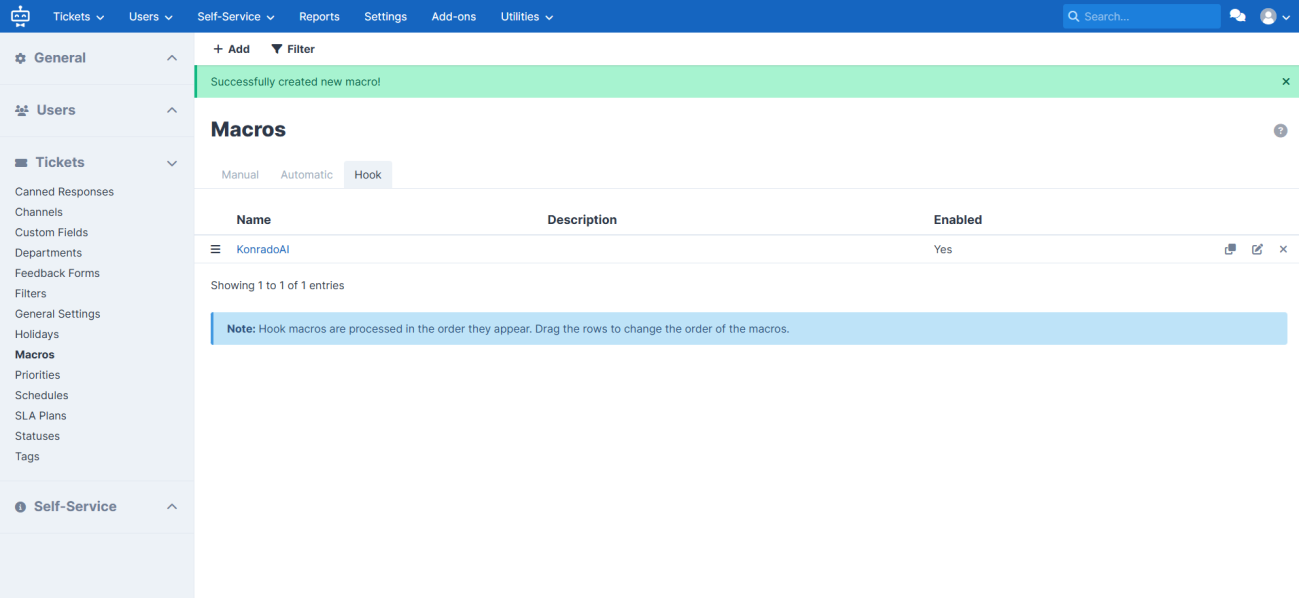
Add the Trigger webhook action. Set the method, the content type, the header, the webhook URL and the body from the table above, then click Submit.
Test the address
From any machine, check the address and the token:
curl -i -X POST https://app.konrado.ai/api/webhooks/supportpal/ticket \
  -H "Authorization: <your webhook token>" \
  -H "Content-Type: application/json" \
  -d '{"source":"supportpal","eventType":"ticket.activity","eventId":"manual-test-1","occurredAt":"2026-04-30T12:00:00.000Z","ticketId":"123"}'
Use a real SupportPal ticket ID as ticketId to test the whole path.
Check it works
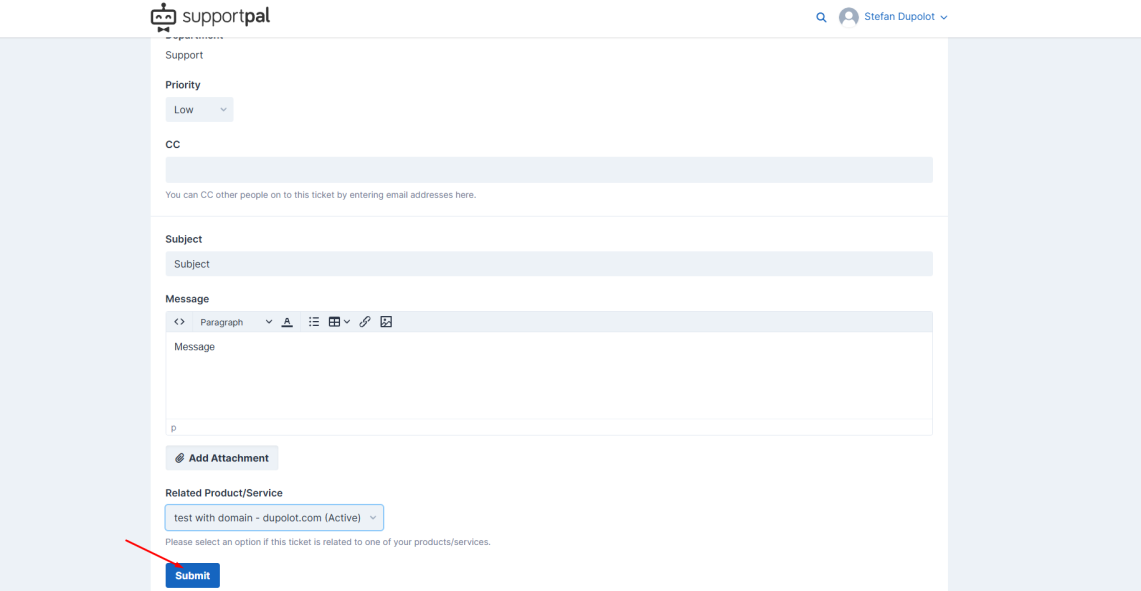
Open a test ticket in SupportPal. Choose a related product or service, so Konrado can match the WHMCS client. In Konrado, open the Inbox: the ticket is there, with a link back to SupportPal.
If something is wrong
| What you see | What to do |
|---|---|
| The macro's test fails | Check that the method is POST and the content type is application/json |
Konrado answers 401 | Copy the webhook token again, exactly as Konrado showed it. If it is lost, click New token under Manage and paste the new one |
| No ticket reaches Konrado | Check that the macro is enabled and that one of its events happened |
| Services and invoices are missing on the ticket | Check that WHMCS is connected and set as the Billing Platform of SupportPal |
Remove the macro
Disable or delete the KonradoAI hook macro in SupportPal. To stop all tickets, also disconnect
SupportPal in Konrado.
Last updated on