

Tweaking
Fine-tune how the AI interprets requests, applies business rules, and maintains your brand voice
The Tweaking page lets you provide custom instructions that shape how Konrado.AI generates responses. Think of it as giving the AI a style guide and operational manual for your business.
What This Helps You Improve
Tweaking is where you encode the way your team should answer. Use it for policies, tone, escalation rules, formatting, and repeat troubleshooting guidance that is not captured cleanly in documentation pages.
Common Support Scenarios
| Scenario | Instruction to add |
|---|---|
| Replies are too long | Maximum length and preferred structure |
| Agents keep adding the same warning | Put the warning into a policy or technical rule |
| Refund or abuse tickets need care | Add escalation criteria and approved wording |
| AI mentions unnecessary technical details | Tell it what to avoid unless the customer asks |
Success Signals
- Agents make fewer edits before sending.
- Replies follow the same greeting, tone, and structure.
- Sensitive cases are escalated instead of answered too confidently.
- Reports quality improves after instruction updates.
Overview
Navigate to Tweaking in the sidebar. You'll see a rich text editor where you can write custom AI instructions.
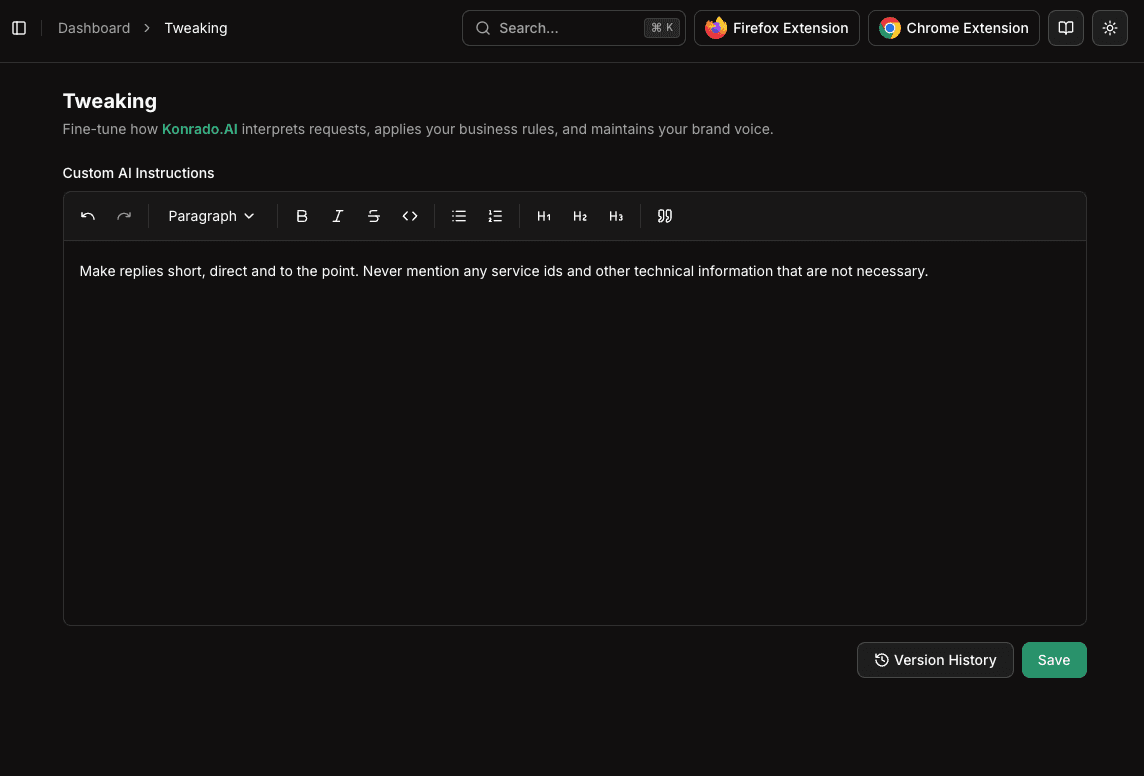
Custom AI Instructions
The instructions editor supports rich text formatting:
- Bold, italic,
strikethrough - Headings (H1, H2, H3)
- Bullet and numbered lists
- Block quotes
- Inline code
What to Include
Your custom instructions should cover:
Tone and Voice
- How formal or casual should responses be?
- Should the AI use the customer's first name?
- Any specific greetings or sign-offs to use?
Business Rules
- Refund or cancellation policies
- Escalation criteria (when should the AI recommend involving a human?)
- Product-specific instructions
Technical Guidelines
- Common troubleshooting steps for frequent issues
- Links to specific documentation pages the AI should reference
- Server-specific information or common configurations
Formatting Preferences
- Should responses include step-by-step instructions?
- Maximum response length
- Whether to include links to documentation
Example Instructions
## Tone
- Be professional but friendly
- Use the customer's first name when available
- Sign off with "Best regards, [Company] Support Team"

## Policies
- For refund requests, direct customers to submit a ticket with subject "Refund Request"
- Never share internal server IP addresses
- Always recommend backing up data before making server changes

## Common Issues
- For "website not loading" tickets, first check if the service is active and not suspended
- For DNS-related questions, link to our DNS configuration guide at docs.example.com/dns
- For email issues, ask the customer to check their MX records first
Ready-to-Use Examples
Use these as starting points and adjust them to your company policy.
Tone
Write concise, friendly, professional replies.
Avoid over-explaining internal systems.
Use the customer's first name when available.
Do not promise an exact resolution time unless the ticket context contains one.
Refund policy
For refund requests, explain the policy briefly and ask for the service or invoice number if it is missing.
If the ticket suggests legal escalation, chargeback, or abuse, do not make a decision. Escalate to a senior support agent.
Escalation rules
Escalate tickets that involve data loss, security incidents, account ownership disputes, legal threats, abuse reports, or requests to change billing ownership.
When escalating, summarize the customer request and the context already checked.
Technical troubleshooting
For website-down tickets, first check whether the related service, domain, and server context are available.
If server context is missing, ask the customer for the affected domain and exact error message.
Never expose private IP addresses, tokens, passwords, or internal hostnames in customer-facing replies.
Saving Changes
After writing your instructions, click Save to apply them. Changes take effect immediately — the next AI-generated response will follow your updated instructions.
You can update your instructions at any time. There's no need to re-process your knowledge base or restart any services.